
BC Game Registration: Create an Account and Login
Players can open an account in just a few minutes and start casino games or sports bets without delay. Email, phone number, or social media accounts such as Google, Telegram, and CWallet can be used to register quickly. One account grants access to deposits, withdrawals, promotions, and the full library of games on both desktop and mobile devices. New members can claim a welcome bonus of up to 360% plus 140% Rakeback after their first deposit. Once registration is complete, logging in allows players to place bets, join tournaments, and explore BC Originals immediately.
Welcome Bonus Up to 360% + 140% Rakeback
Get Bonus After Registration
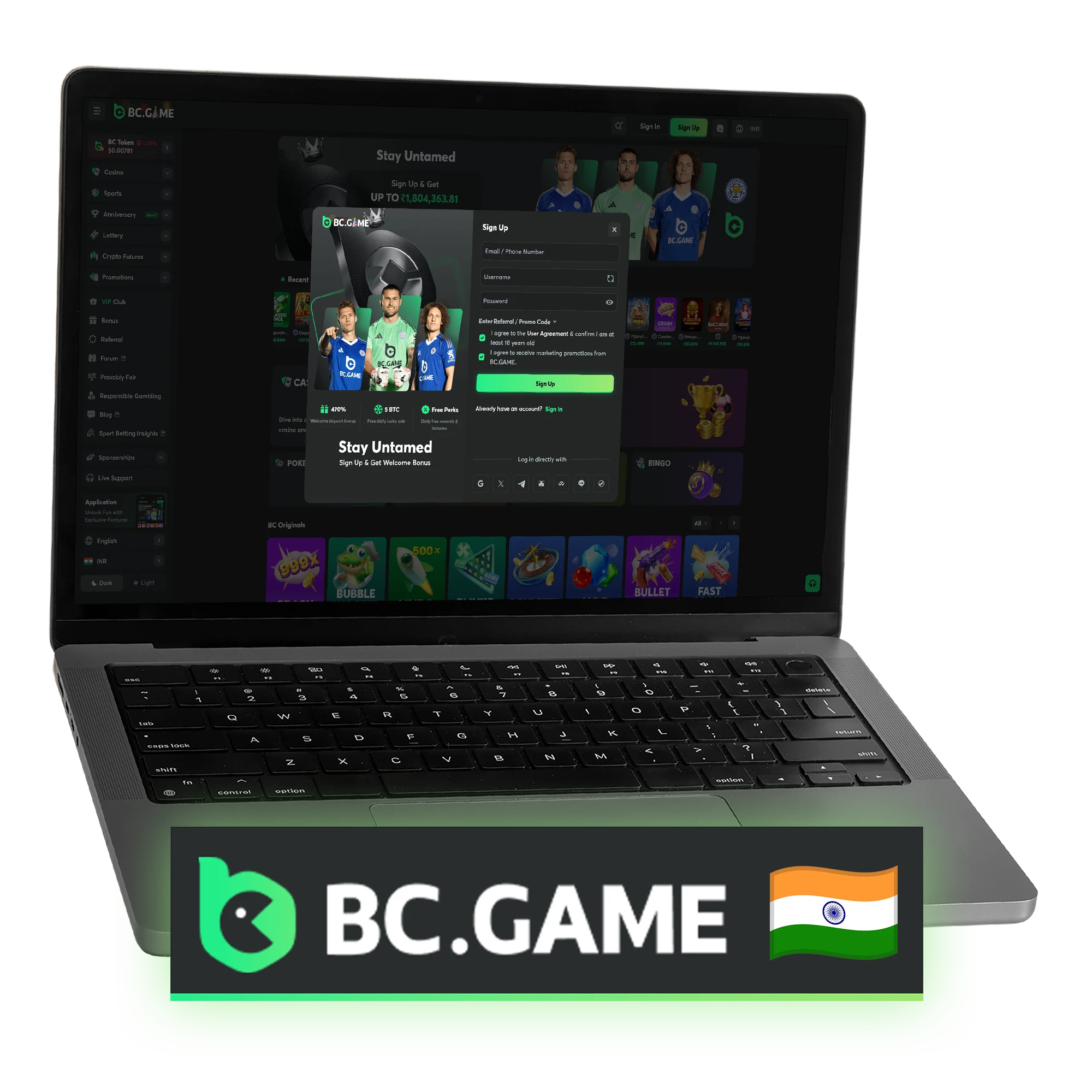
How to Register on BC Game?
4 stepsOpening an account takes only a few minutes and unlocks access to casino games, sports betting, promotions, tournaments, and BC Originals. Registration is available through email, phone number, or social media accounts, which helps many players start faster. After creating an account, users can make deposits, claim bonuses, and participate in platform events.
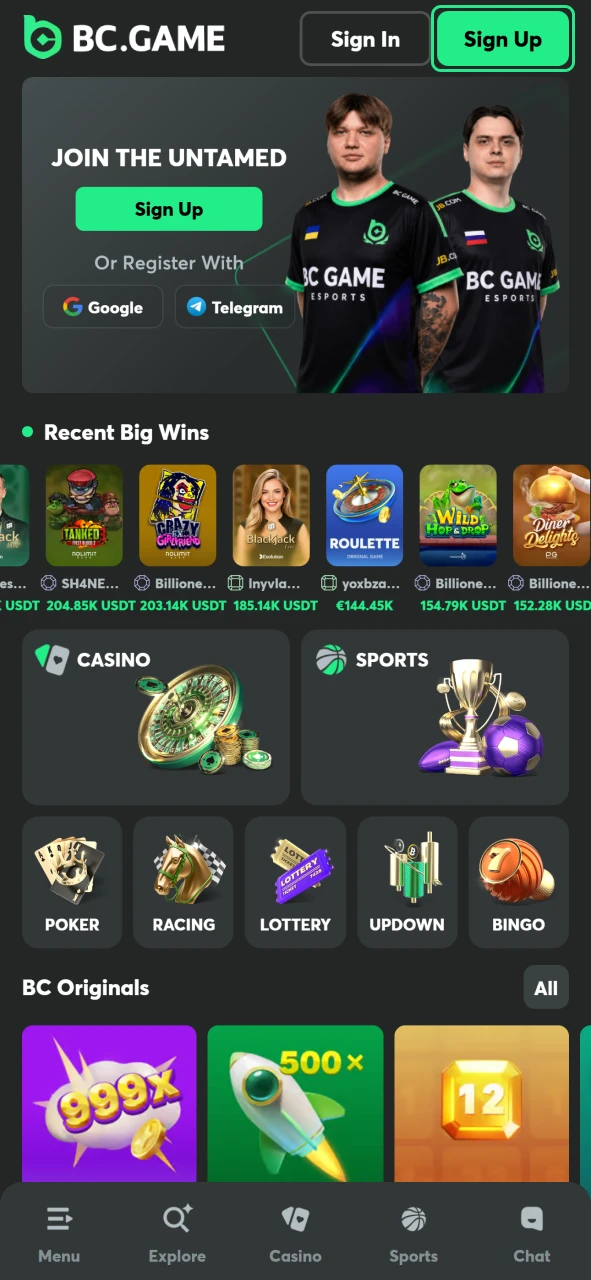
Open Sign Up Form
Go to our website or app and click the Sign Up button to open the registration form.
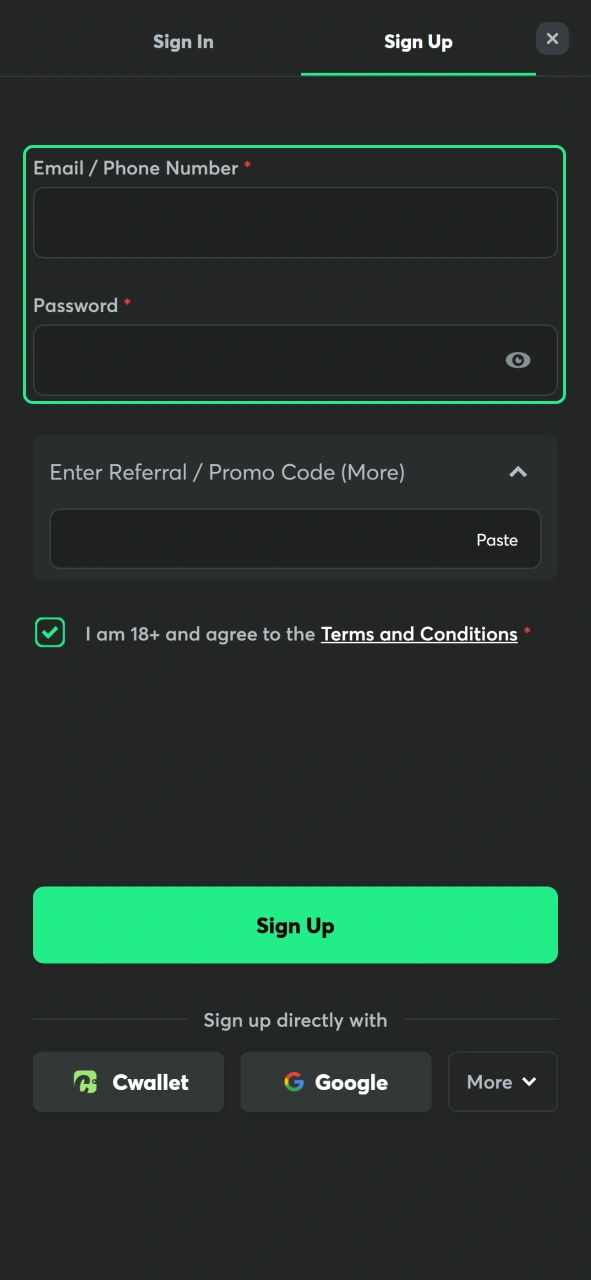
Enter Account Information
Fill in your email address or phone number and create a password to secure your account.
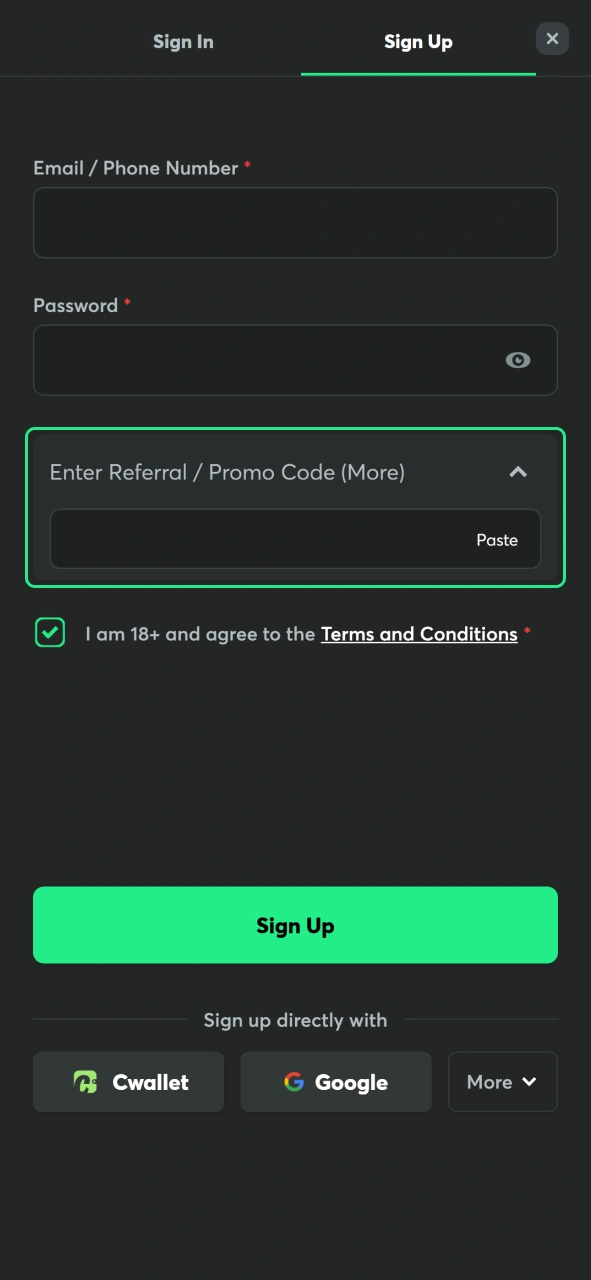
Apply Promo Code
Expand the Enter Referral / Promo Code (More) field and enter a promo code if you have one to get extra bonuses.
Confirm and Register
Check the box confirming you are at least 18 years old, accept the Terms and Conditions, and click Sign Up to finish registration.
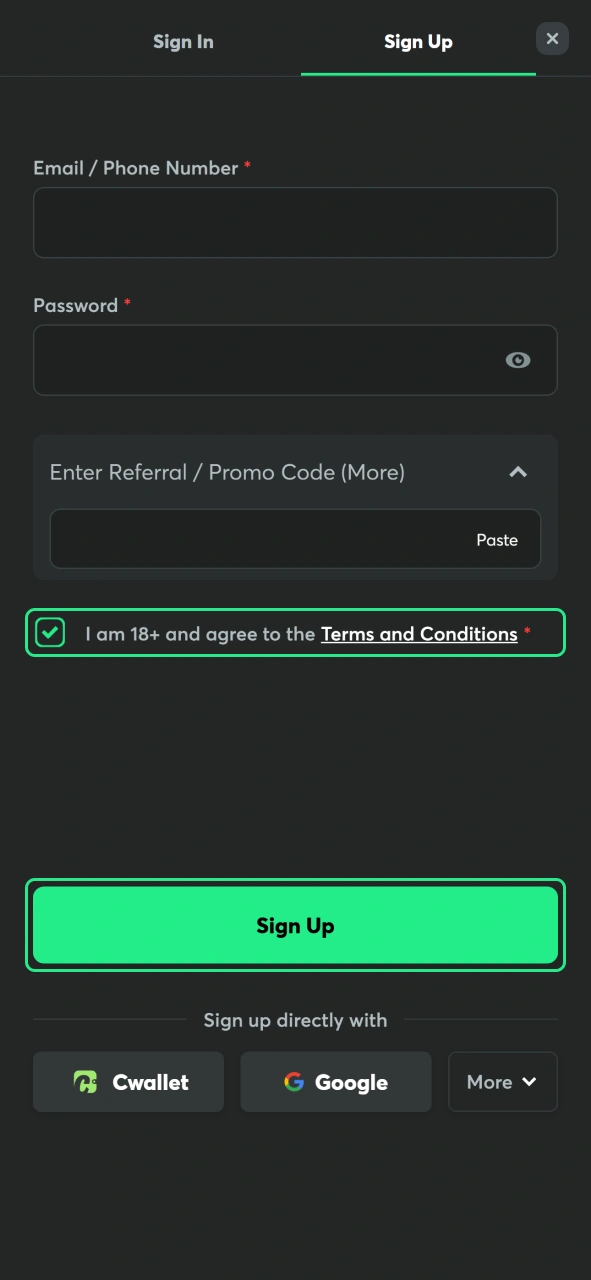
Accounts can also be created using Google, Telegram, X, CWallet, MetaMask, Line, Steam, and other connected services for faster login.
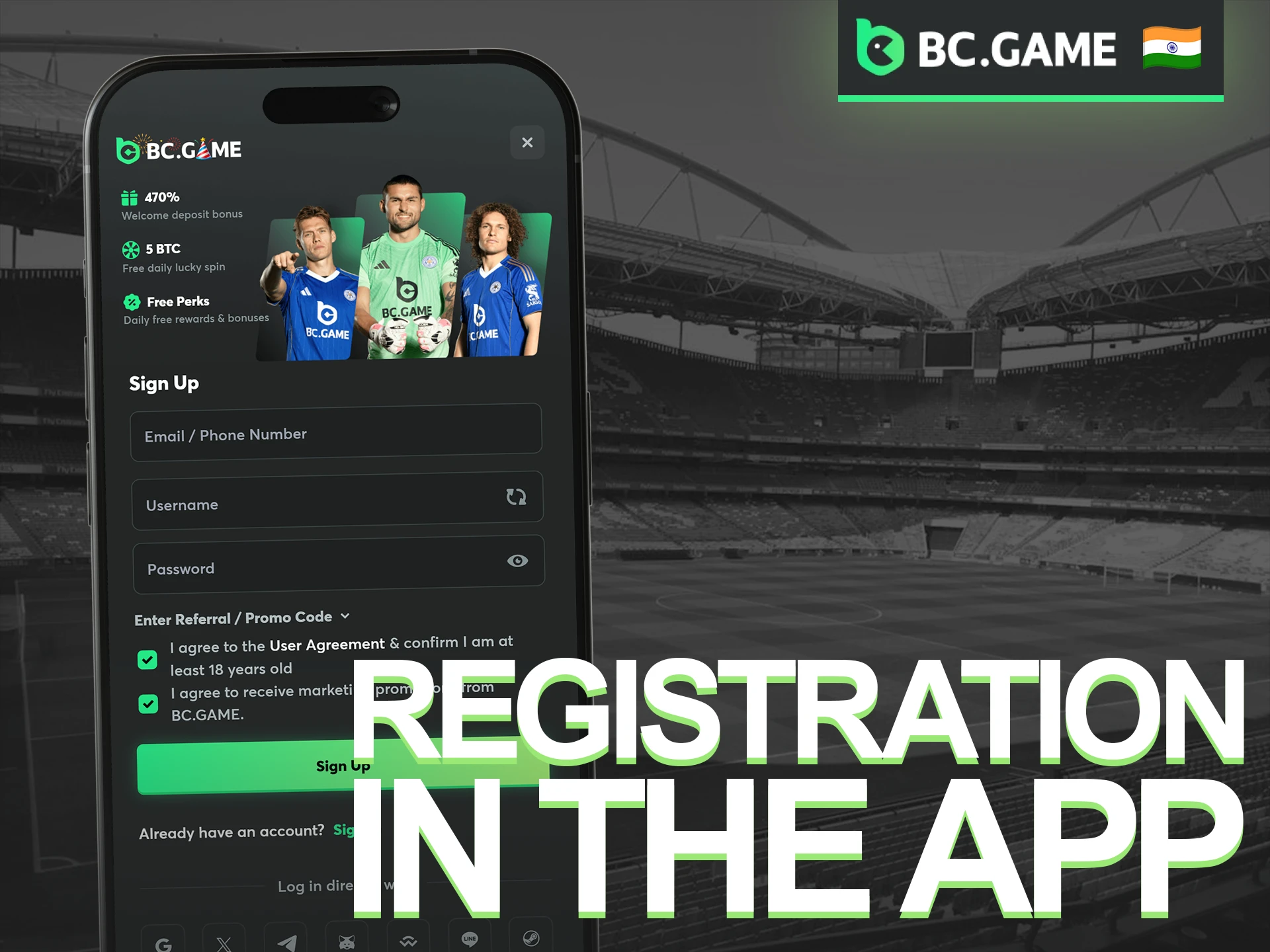
Sign Up via BC Game App
Registration through the mobile app follows the same process as the desktop version. Players can create an account with an email address, phone number, or connected social media account. After registration, the same profile can be used across mobile devices and desktop browsers.
- Open our application and tap the Sign Up button.
- Enter your email address or phone number and create a password.
- Add a referral or promo code in the Referral / Promo Code field if you have one.
- Confirm that you are at least 18 years old and accept the Terms and Conditions.
- Tap Sign Up to complete registration and activate your account.
Google, Telegram, X, CWallet, MetaMask, Line, Steam, and other connected accounts can also be used for quick registration.
Verification Procedure
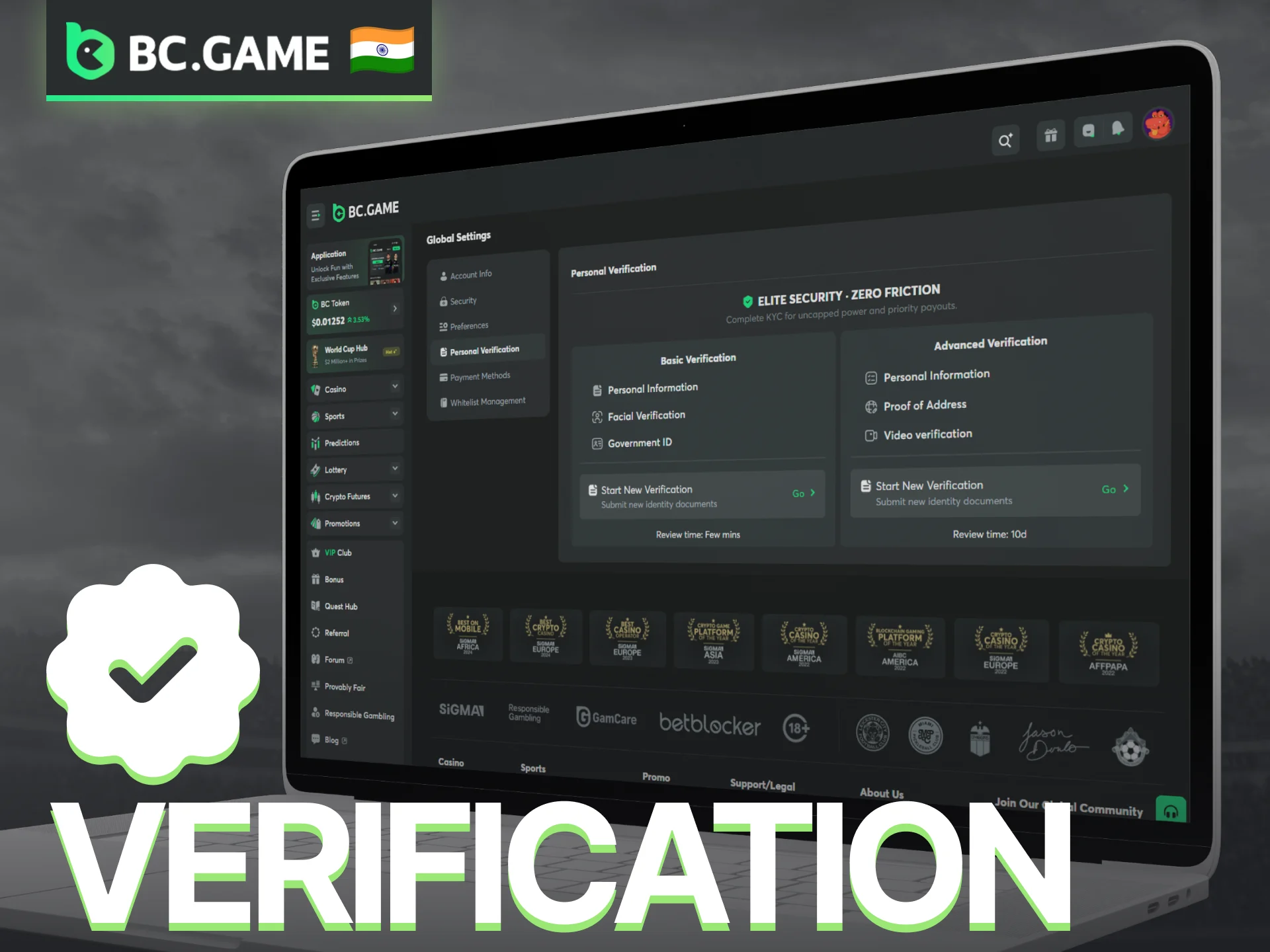
Account verification protects users and ensures compliance before withdrawals or upgrades. The process is handled in the account settings and offers two levels: basic and advanced. Users may need to submit personal information, government-issued ID, proof of address, or additional documents depending on account activity. Proper and clear documents can shorten the review time.
- Log in to your BC Game account.
- Open the account menu and go to Global Settings.
- Select Personal Verification.
- Choose either Basic Verification or Advanced Verification.
- Provide the required personal information.
- Upload a government-issued ID document.
- Complete facial verification if prompted.
- Submit the documents for review.
- Wait for confirmation from the verification team.
- Advanced verification may request proof of address and a short video verification.
Login to BC Game
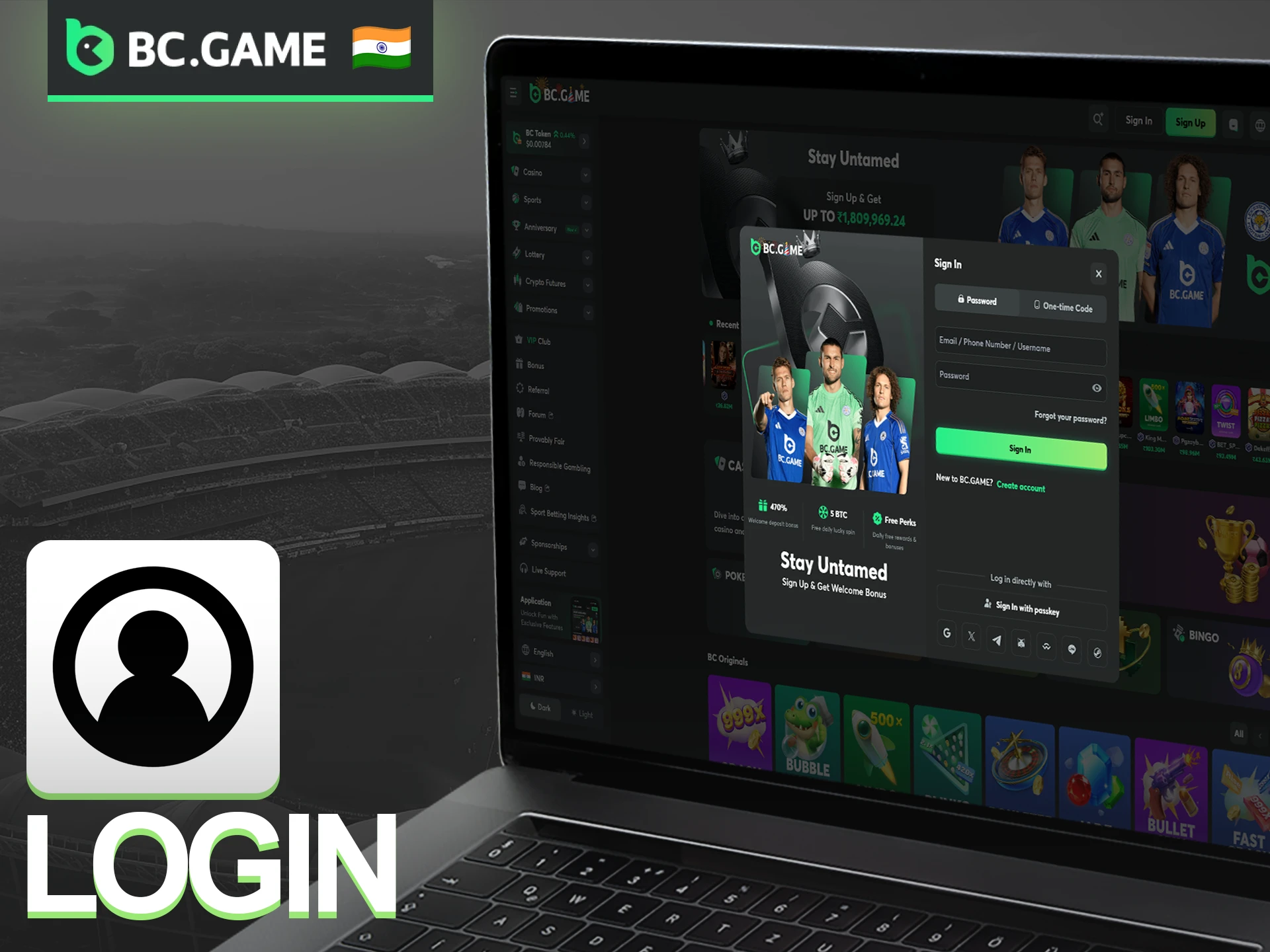
Players can access their accounts using the login form on the website or app. The system accepts email addresses or phone numbers, and users can also log in with social media accounts like Google, X, Telegram, Discord, Steam, Line, or Cwallet.
- Open our website or mobile app.
- Click the Sign In button at the top of the page.
- Enter your registered email address or phone number, followed by your password.
- Choose to log in with one-time code, or select a social media login if preferred.
- Tap Sign In to access your account.
Possible BC Game Login Problems and Their Solution
Most login issues can be resolved within a few minutes without contacting support. Problems usually relate to incorrect credentials, account security settings, internet connection issues, or verification requirements. The table below lists common situations and possible solutions.
| Problem | Solution |
| Incorrect Password | Use the Forgot your password? option and reset your password through the registered email address or phone number. |
| Wrong Email or Phone Number | Check the entered details and make sure the correct account information is used. |
| One-Time Code Not Received | Wait a few minutes, check spam folders, or request a new code. |
| Social Media Login Not Working | Verify that the selected Google, Telegram, X, Steam, Line, or CWallet account is linked to BC Game. |
| Account Temporarily Locked | Wait for the security lock period to end or contact support for assistance. |
| Verification Required | Complete the verification process through the Personal Verification section before attempting to log in again. |
| Browser or App Issues | Clear cache and cookies, update the app, or try another browser. |
| Poor Internet Connection | Check the network connection and reconnect before trying again. |
| Account Security Review | Contact customer support if the account has been flagged for additional security checks. |
| Website Not Loading | Refresh the page, restart the browser, or try accessing the website later. |
Account Registration Requirements
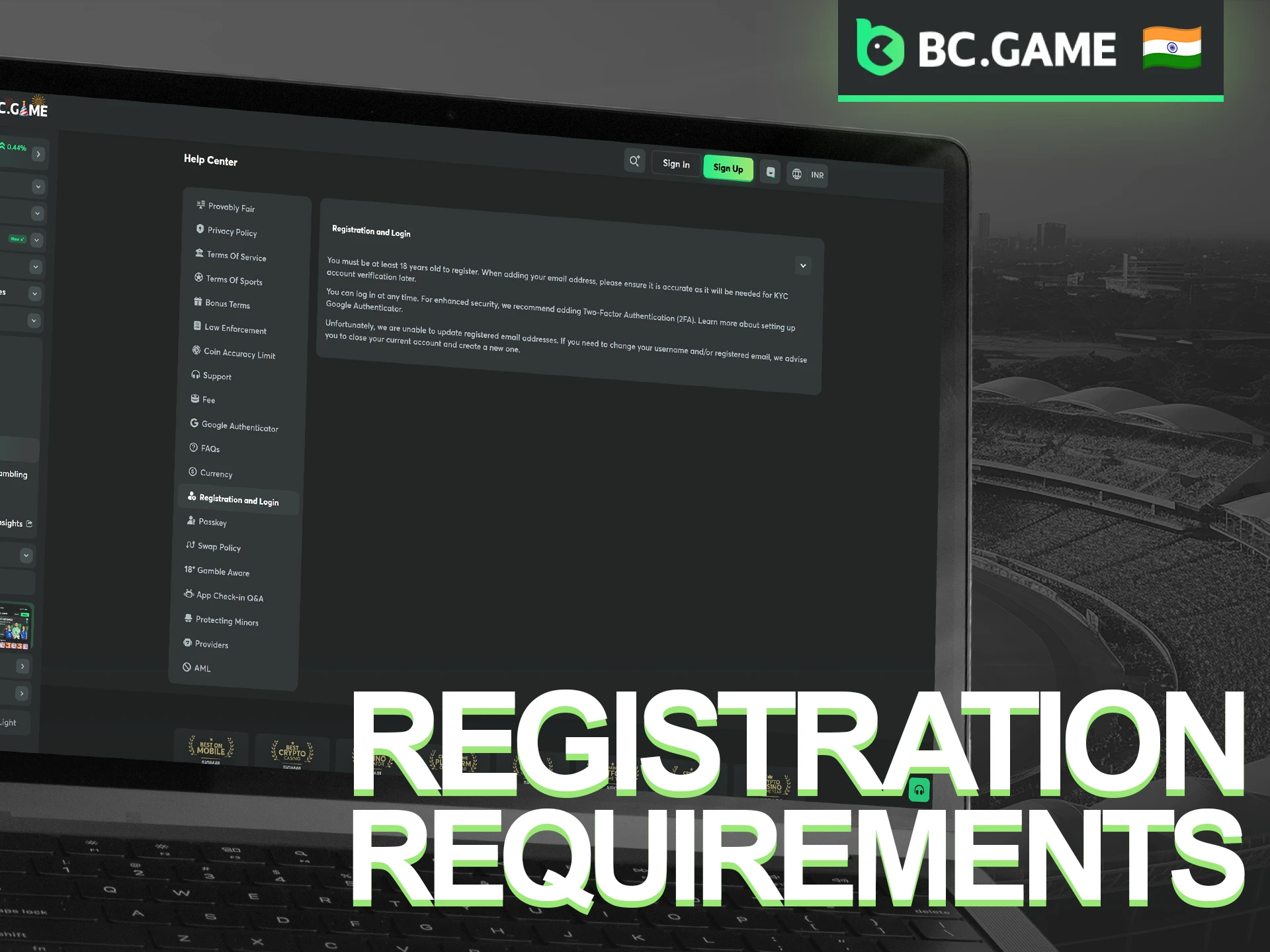
Several requirements apply before an account can be opened on BC Game. Accurate personal information, legal age eligibility, and compliance with platform rules are important for account approval and future withdrawals.
- Be at least 18 years old or meet the legal gambling age in your jurisdiction;
- Provide a valid email address or phone number;
- Use real personal information during registration;
- Register only one account per person;
- Use payment methods registered in your own name;
- Accept the Terms and Conditions and Privacy Policy;
- Complete identity verification if requested;
- Ensure online gambling is permitted under local laws;
- Keep account credentials private and secure;
- Avoid VPNs, proxies, or other tools that conceal your actual location.
Monthly Deposit Bonus
A monthly deposit bonus is available to both new and existing players. The promotion consists of 4 reward stages, with larger deposits unlocking higher bonus percentages and increased Rakeback. Bonus funds are credited as locked rewards and are released after meeting the applicable wagering requirements. All bonus stages reset on the first day of each month.
| Stage | Bonus | Minimum Deposit |
| Stage 1 | 180% Bonus + 40% Rakeback | ₹1,000 |
| Stage 2 | 240% Bonus + 60% Rakeback | ₹2,000 |
| Stage 3 | 300% Bonus + 100% Rakeback | ₹3,000 |
| Stage 4 | 360% Bonus + 140% Rakeback | ₹5,000 |
How to Delete BC Game Account
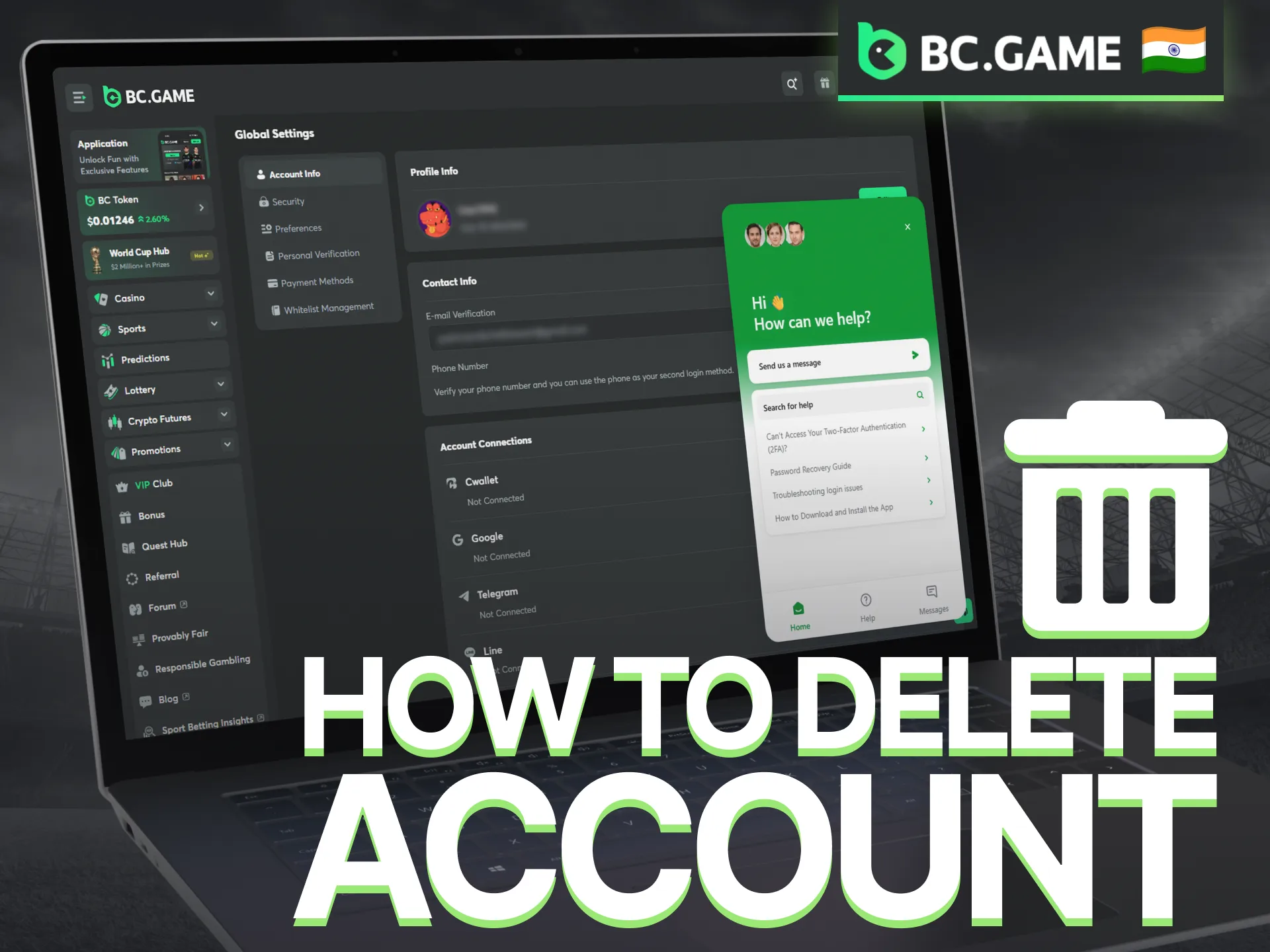
Account closure requests are handled through the support team. Before submitting a request, players should withdraw any remaining balance and make sure there are no pending transactions or verification procedures. Once an account is closed, access to games, betting history, promotions, and account features may no longer be available.
- Log in to your BC Game account.
- Withdraw any available balance from your wallet.
- Open the Live Chat section or contact support by email.
- Request permanent account closure and provide the required account details.
- Complete any identity confirmation requested by the support team.
- Wait for confirmation that the account closure request has been processed.
Players who do not want to close their accounts permanently can also ask support about temporary restrictions, cooling-off periods, or self-exclusion options.
Our Customer Support Will Help if You Have Problems With Your Account
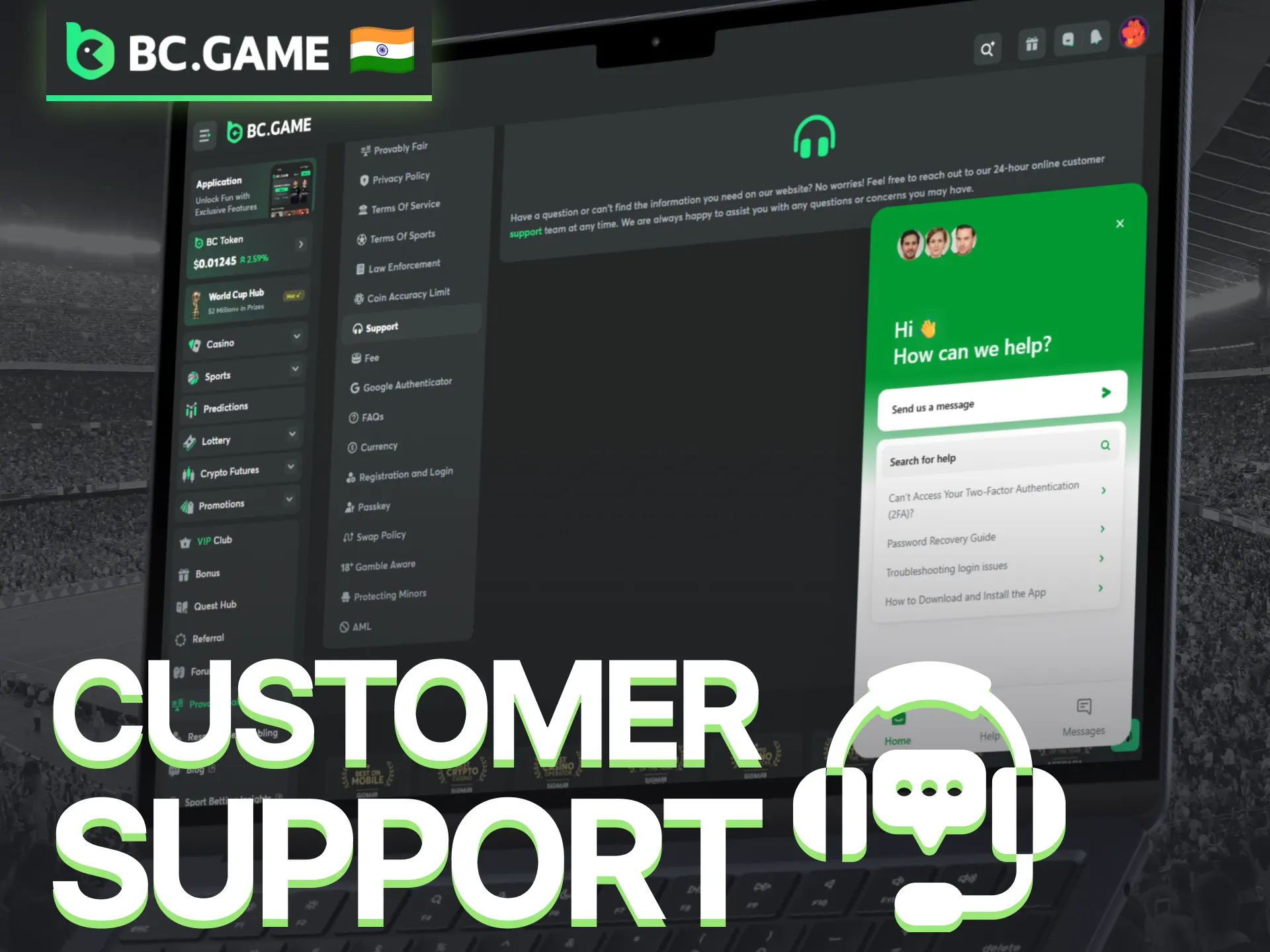
Account access issues, verification requests, payment questions, and bonus-related concerns can usually be resolved through the BC Game support team. Several contact options are available, depending on the type of assistance required.
- Live Chat: Direct communication with a support agent for account access issues, deposits, withdrawals, verification, and technical questions;
- Email Support (feedback@bcgame.com): Suitable for requests that require screenshots, transaction details, or identity documents;
- Help Center: Contains guides and articles covering registration, login, payments, verification, bonuses, and account settings;
- FAQ Section: Answers to common questions about casino games, sports betting, promotions, and account management.
FAQ
Can I register more than one account?
No. Only one account is permitted per player. Multiple accounts may lead to restrictions, bonus cancellation, or account closure.
Can I change my email address or phone number after registration?
In many cases, account details can be updated after contacting customer support. Additional verification may be required before changes are approved.
Is verification required immediately after registration?
Not always. Some players can use their accounts without verification at first, although document checks may be requested before withdrawals or after certain account activities.
Can I register without a promo code?
Yes. A promo code is optional and not required to complete registration. Players can create an account and start using the platform without entering one.
What should I do if I accidentally entered incorrect registration details?
Contact customer support as soon as possible. The support team can explain what information may be updated and whether additional verification is required.
Updated:
Comments
Adebola Ogunyemi
To be honest, I was pleasantly surprised by how easy the registration process is on BC Game. It didn’t take more than a couple of minutes, and the instructions were super clear. No confusing steps or unnecessary details - just smooth registration. Also, I got the welcome bonus instantly, so it made everything just lovely.
Chioma Uchechukwu
Registering for the BC Game was smooth from start to finish. I’ve tried other platforms where the process is unnecessarily complicated, but this one keeps it simple and efficient. Just a few clicks and I was in✌️. It really sets the tone for a user-friendly platform. Plus, the wide variety of games just sets it apart from others.
Tunde Adebanjo
The best part about the BC Game was how it focused on simplicity during registration. Everything was clear, and I didn’t feel overwhelmed by too many fields to fill out. It’s perfect for those who want to jump straight into betting for their team without wasting time. Love it completely!
Chidi Nwosu
BC Game has one of the most efficient registration systems I’ve seen. It only took a few minutes, and everything worked perfectly without any glitches. I felt like they really made an effort to create a stress-free experience for new users like me 😂. Lovely!
Funmi Oladipo
I have been using betting apps for the last 5 years but all of them felt like a chore, but not the BC Game. The process is quick and clear, with no unnecessary steps. Moreover, the massive welcome bonus of 360% just after the registration makes the journey even better. I would really recommend it to every bettor.
Ngozi Akpan
BC Game’s registration is a dream. There was no endless form-filling or waiting. I simply entered my details and clicked ‘Register,’ and I was good to go. I also liked how they didn’t ask for too much information upfront - straight to the point. Clearly one of the best decisions I have ever made.
Gbenga Olumide
Creating an account on BC Game was so simple. The registration page is very simple, and the entire process was done in under 3 minutes. I didn’t encounter any issues or delays, and I could start exploring the platform right away. It was an ideal way to start my journey. Best for every new player!
Obi Nwachukwu
Registering on BC Game was quick and easy! 🚀 I was up and playing in no time. The process is easy and simple, and the bonus was a great addition to get started. Can’t wait to try out more games!
Kemi Olayinka
Signing up for the BC Game was simple! The registration took less than a minute, and I immediately got my bonus. The platform looks clean, and the games are easy to access. Definitely a great start! 🎉
Bola Williams
Registration was smooth, but I faced some verification issues 📧. It took a while to confirm my account. However, the 180% bonus was worth it, and once I was in, the experience was good. I’m hopeful the verification process improves.
Zainab Farouk
Signing up was a breeze! I got my bonus right away and didn’t run into any issues. The platform is easy to navigate, and I’m already enjoying the games. Overall, a smooth and enjoyable experience! 💥
Yemi Adedeji
Registration was quick and hassle-free 🏃! I love that I got my bonus instantly, and the platform is easy to use. I was able to start gaming within minutes. A great start for anyone looking to have fun! 🎮
Chuka Reuben
Signing up for BC Game was easy, but the confirmation email took a bit long. Once I was in, the experience was smooth. I enjoyed the games and the bonus. A quick fix for email response would make this even better. 😊
Adaobi Chukwuma
BC Game’s registration was a piece of cake! 🍰 The process was fast, and I got my bonus immediately. The interface is clean, and I love the variety of games available. I’m excited to keep playing! 🎉
Ifeoma Joseph
The registration was easy enough, but I would have liked more instructions 📜. Once signed up, I got the bonus and started playing right away. The platform is user-friendly, but a little more guidance for new users would be great. 👌
Chidi Obi
Registration on BC Game is one of the easiest I’ve ever done. There were no unnecessary fields to fill out, and the instructions were crystal clear. It was so fast, I didn’t even realize when I’d finished. The entire process took no more than 2 minutes, and all it needs is just an email ID or mobile number. Personally, my favorite from now on!